HTML and JSON responses with htmx
Published on April 3, 2026
Tagged with python, javascript, htmx
HTML responses are commonly used in htmx applications to update a web page. But not everything can be handled with HTML. Sometimes you must use JSON to update components on the web page. This example uses HTML to update status messages and JSON for updating content in an embedded Ace text editor.
The main Python Quart app is shown below. Notice the /update route returns HTML and the /update-editor route returns JSON. The /save route prints the content of the editor and relays that content back to the web page.
# app.py

from quart import Quart, render_template, request

app = Quart(__name__)


@app.get("/")
async def index():
    """Main app page."""
    return await render_template("index.html")


@app.get("/update")
async def update():
    """Update the status message."""
    return await render_template("update.html")


@app.get("/update-editor")
async def update_editor():
    """Update text content in the Ace editor using JSON data."""
    return {"content": "New content is here.\nAnother line goes here too."}


@app.post("/save")
async def save():
    """Save the editor content."""
    form = await request.form
    content = form.get("content", "")

    # This `content` could be saved to a file or database
    print(f"***\n{content}\n***")

    return await render_template("save.html", content=content)


if __name__ == "__main__":
    app.run(debug=True)
The main web page template index.html is shown below. The first button uses htmx to perform a GET request to the /update route which returns HTML to the #status paragraph element. The second button uses htmx to perform a POST request to the /save route which sends the Ace editor content via hx-vals to the server and returns HTML to the #status and #saved elements. The editor content that is sent to the server is relayed back to the #saved paragraph element.
After the /update request, a JavaScript event listener triggers a JSON request to the /update-editor route. The response updates the editor with content received from the server. Basically, the Update Content button makes two requests, it makes an HTML request to /update which triggers a JSON request to /update-editor after the htmx swap event. This could be accomplished with one HTML request where data attributes in the HTML response hold the editor content but data attributes are not for large amounts of data. Therefore, this example uses a JSON response for the editor content which can handle a large amount of data.
<!-- templates/index.html -->

<!doctype html>
<html lang="">
  <head>
    <meta charset="UTF-8" />
    <meta name="viewport" content="width=device-width, initial-scale=1" />
    <title>Example</title>
    <style>
      #editor {
        min-height: 20rem;
        max-width: 40rem;
      }
      #saved {
        white-space: pre-wrap;
      }
    </style>

    <script
      src="https://cdn.jsdelivr.net/npm/htmx.org@2.0.8/dist/htmx.min.js"
      integrity="sha384-/TgkGk7p307TH7EXJDuUlgG3Ce1UVolAOFopFekQkkXihi5u/6OCvVKyz1W+idaz"
      crossorigin="anonymous"
    ></script>

    <script src="https://cdn.jsdelivr.net/npm/ace-builds@1.43.6/src-min-noconflict/ace.min.js"></script>
  </head>
  <body>
    <h1>Example</h1>

    <button type="button" hx-get="/update" hx-target="#status">Update Content</button>

    <button
      type="button"
      hx-post="/save"
      hx-target="#status"
      hx-vals="js:{content: editor.getValue()}"
    >
      Save Content
    </button>

    <p id="status"><strong>Status:</strong> Default status message</p>

    <div id="editor">Enter some text</div>

    <p><strong>Saved content shown below:</strong></p>

    <p id="saved">Here</p>

    <script>
      var editor = ace.edit("editor");
      editor.setTheme("ace/theme/monokai");

      async function loadEditorValue() {
        const response = await fetch("/update-editor");
        const data = await response.json();
        editor.setValue(data.content);
        editor.clearSelection();
      }

      document.body.addEventListener("htmx:afterSwap", async function (event) {
        const responseUrl = new URL(event.detail.xhr.responseURL);

        if (responseUrl.pathname === "/update") {
          await loadEditorValue();
        }
      });
    </script>
  </body>
</html>
The update.html template is shown here. It provides the HTML response for the /update route.
<!-- templates/update.html -->

<strong>Status A:</strong> Updated the editor content
The save.html template is shown next. It provides the HTML response for the /save route. The received editor content is also relayed back the web page in the #saved paragraph element.
<!-- templates/save.html -->

<strong>Status B:</strong> Saved text content from editor

<p id="saved" hx-swap-oob="true">{{ content | e }}</p>
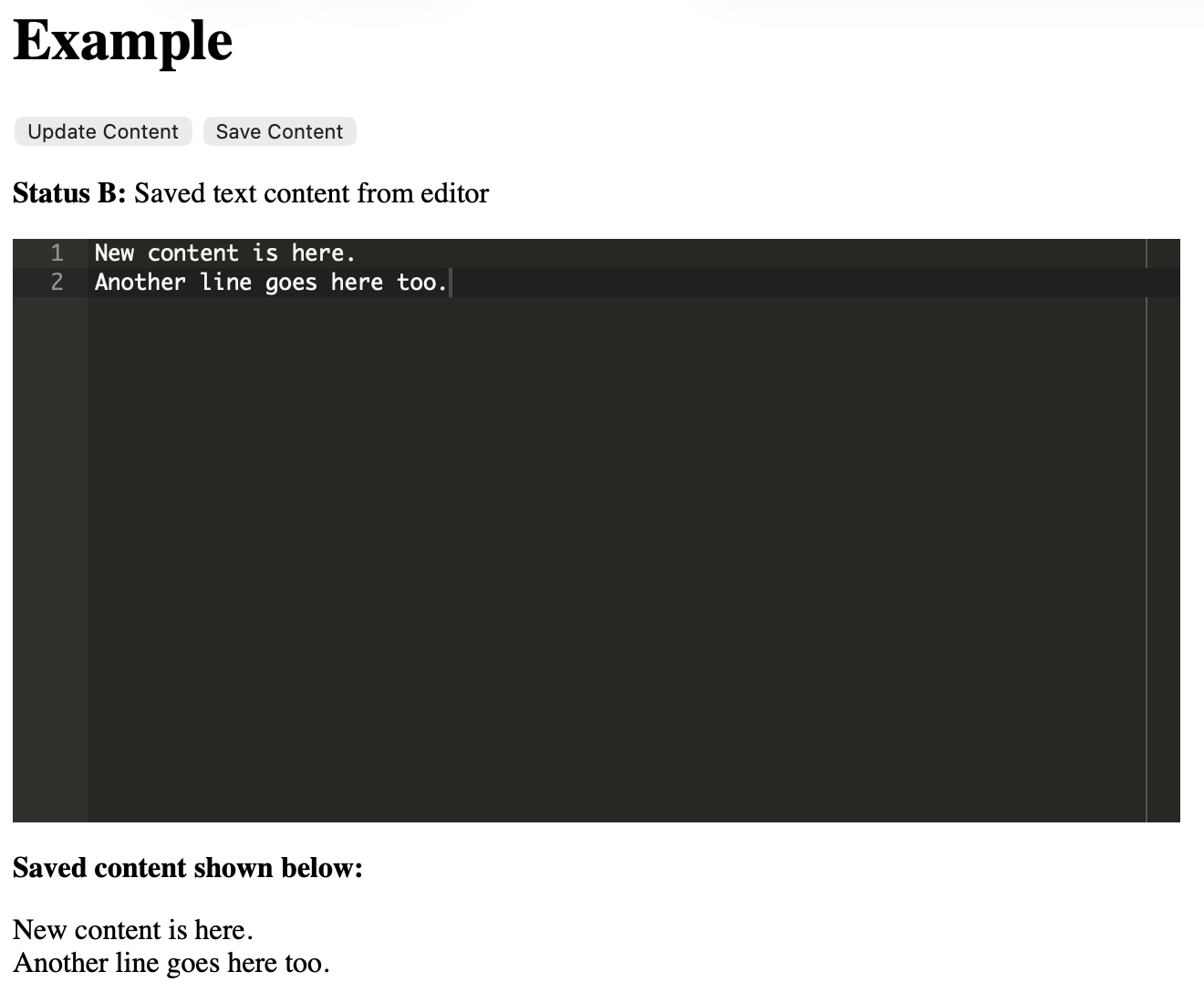
Below is an image of the app created from the index.html template.
Further reading
More information about htmx is available at https://htmx.org. The code discussed above is available in the pythonic/projects/htmx-json directory in the pythonic GitHub repository.
Gavin Wiggins © 2026
Made on a Mac with
Genja. Hosted on
GitHub Pages.